

Documentation Index
Fetch the complete documentation index at: https://kosli-kosli-next.mintlify.app/llms.txt
Use this file to discover all available pages before exploring further.
The problem
Today, Kosli can tell you that an attestation was made on a trail, but not which governance requirement it satisfies. Auditors, compliance teams, and governance engineers think in terms of named controls - “source code review”, “no hard-coded credentials”, “vulnerability scan passed” - and they want to answer questions like:- Which of our controls have evidence recorded against them, and which don’t?
- For this release, which controls passed and which failed?
- How much of our production estate is covered by control
RCTL-1866?
The proposed approach
We are considering adding controls as first-class entities in Kosli. A control would be a stable, named governance requirement - mirrored from your existing controls catalog in ServiceNow, a GRC system, or a policy document. Pipelines would record decisions against controls, and environment policies would reference controls by identifier. Three new building blocks would sit alongside the existing data model:- Raw fact attestations (unchanged) are the evidence you collect in pipelines: test results, vulnerability scans, pull request approvals.
- Decisions are recorded outcomes of a Policy Decision Point (PDP) - the moment a judgement is reached about a specific control for a specific artifact. A decision would be an attestation that references a control.
- Controls are the named governance requirements that decisions are recorded against. They would have a stable identifier, a human-readable name, and an optional description and source URL pointing back to the authoritative definition.
How it would work
The walkthrough below is illustrative. CLI flags, YAML schema, and UI shown here are sketches to make the proposal concrete - they are not implemented and the shapes will change based on feedback.Defining a control
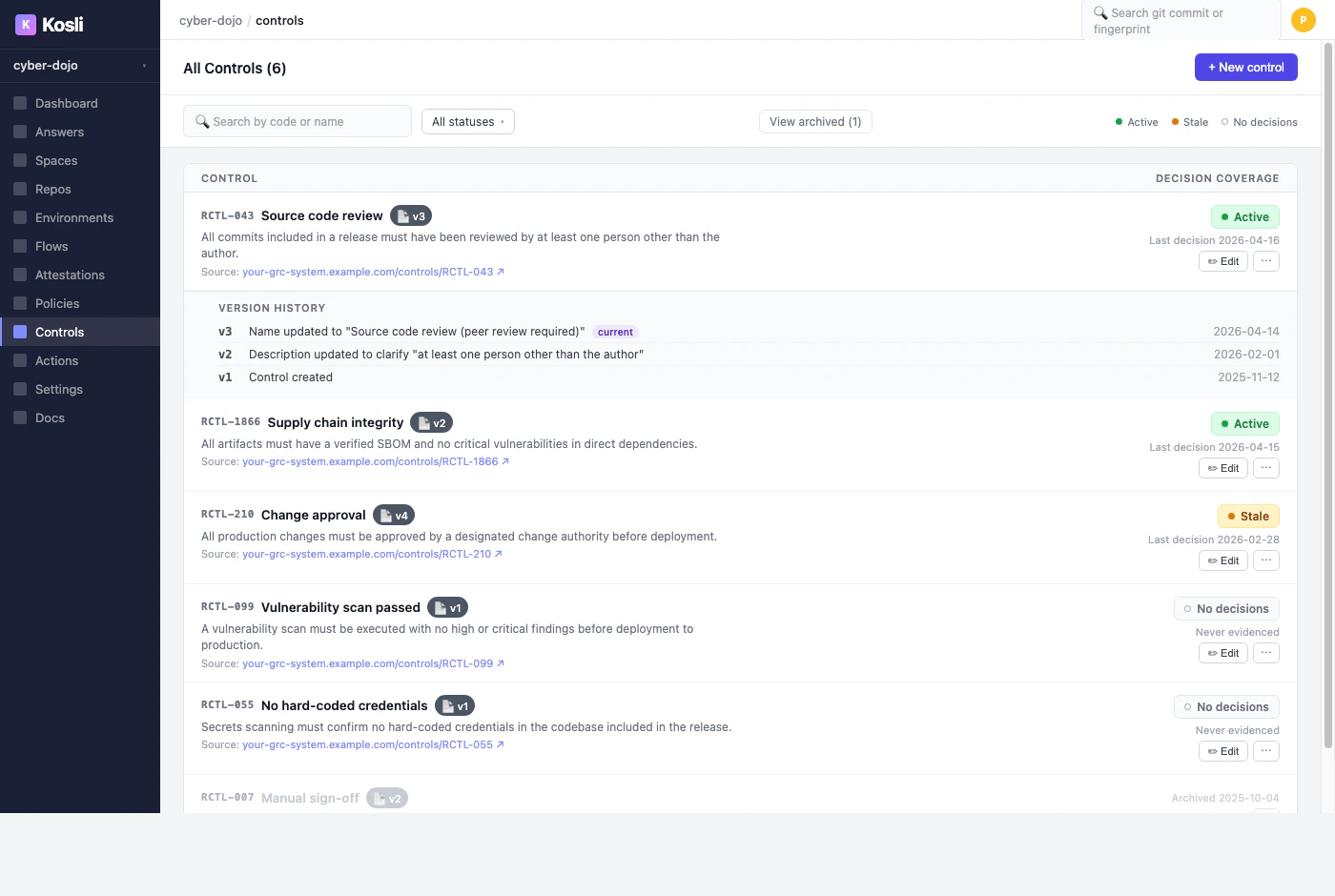
A control would be created from the Kosli app or the CLI, mirroring an entry in your existing catalog:| Status | Meaning |
|---|---|
| Active | A passing decision has been recorded within the last 28 days. |
| Stale | Decisions in the past, but none in the last 28 days - pipelines may have stopped recording against this control. |
| No decisions | Defined in the catalog, but no decision ever recorded. A dark control. |
Recording a decision
A decision would record the outcome of a PDP against a named control, scoped to a specific artifact:kosli evaluate with a Rego policy, a bespoke script, or a third-party tool - would remain entirely yours. kosli attest decision would record the outcome; it would not make the decision for you.
A natural pairing is kosli evaluate, which already runs Rego policies against trail evidence. Its JSON output could be captured and recorded as the decision, with the policy and report attached as evidence:
Referencing controls in environment policies
Environment policies would gain acontrols key. Instead of expressing requirements in tooling-specific terms (“has a Snyk attestation with zero criticals”), the policy would express the governance outcome (“control RCTL-1866 has been satisfied”). The decision attestation would carry the evidence of how that judgement was reached.
prod-policy.yaml
kosli assert artifact --environment, used in a pipeline step to gate promotion on control compliance.
The end-to-end flow
The sequence below shows how a single artifact would move through a build trail and a release trail, with the decision made at release time and enforced when the release controller checks the environment policy.Viewing compliance
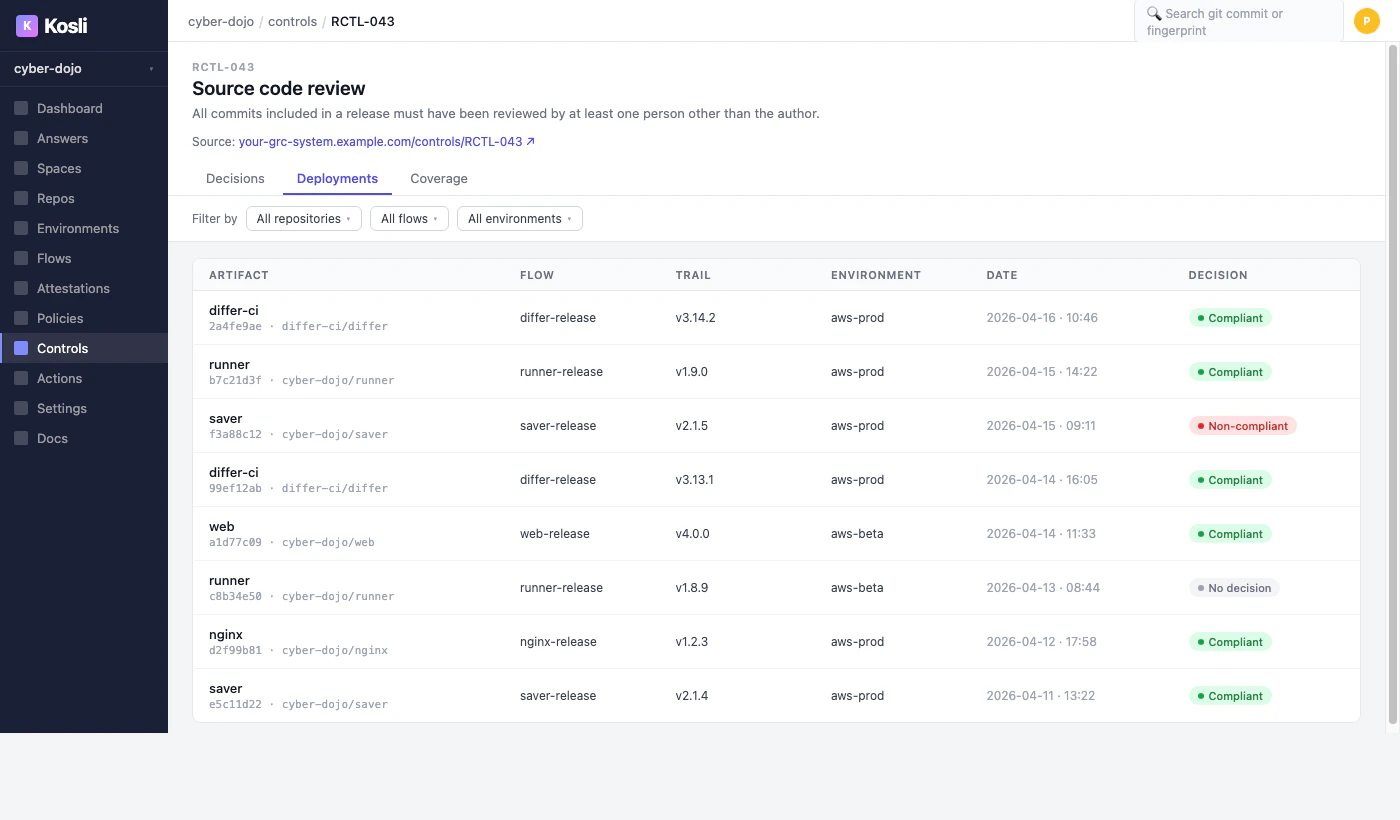
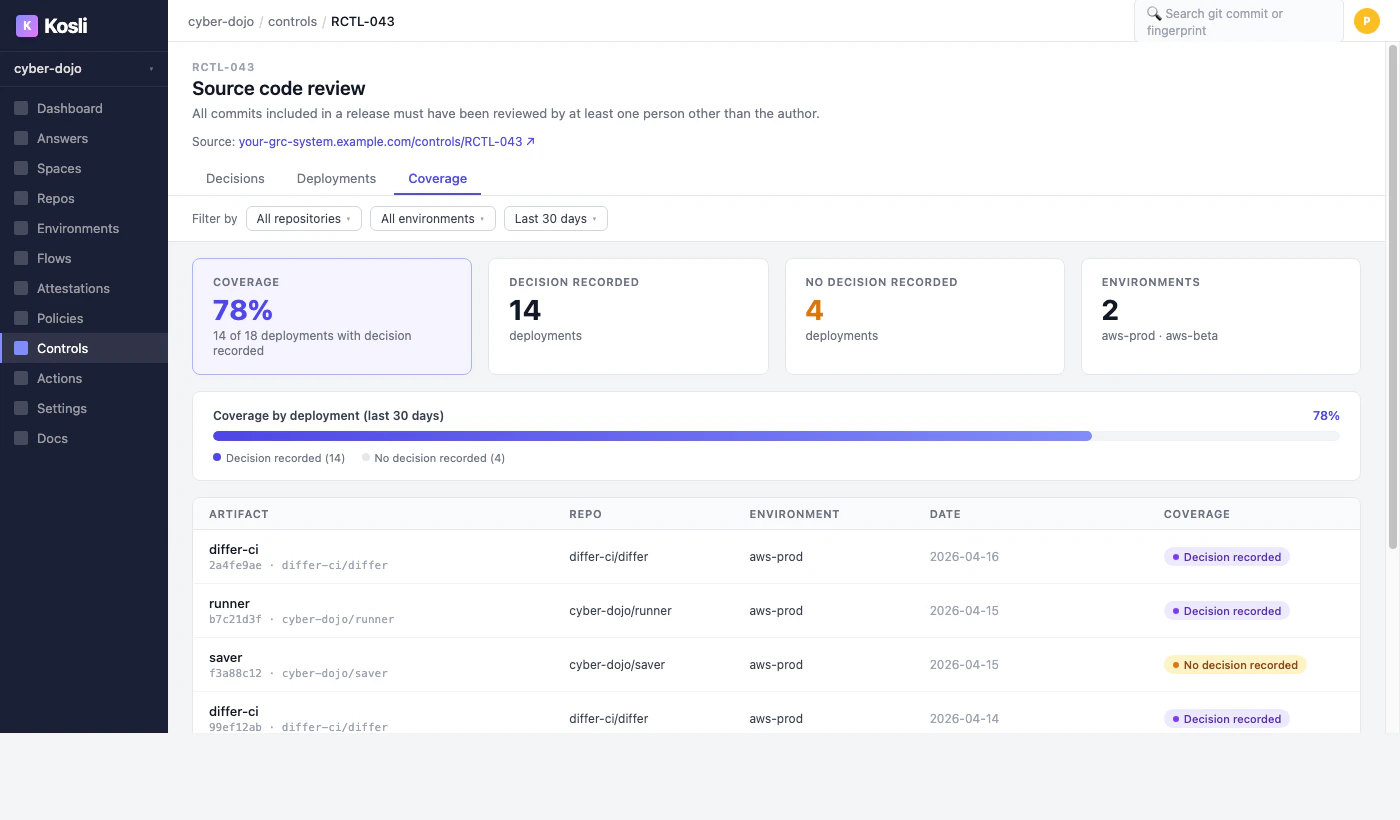
A per-control detail view would show three perspectives: Decisions - every decision attestation recorded against this control, with artifact, flow, trail, environment, recorded-by, date, outcome, and which version of the control definition was in effect.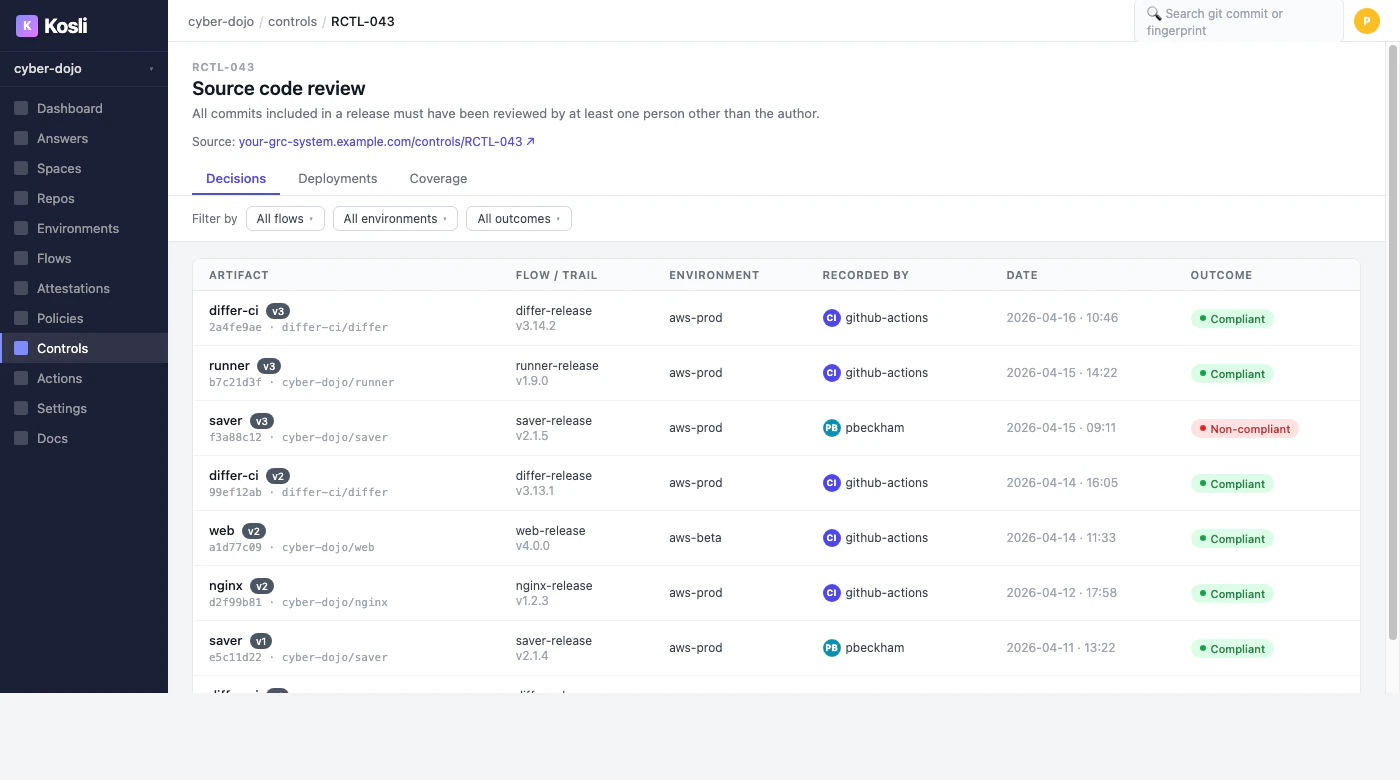
Open questions
We would love feedback on:- Identifier conventions. Should Kosli enforce a format for control identifiers, or accept whatever your GRC system uses (
RCTL-043,peer-review,vuln-scan-production)? - Catalog sync. Should Kosli pull from your GRC system, or is a one-way mirror managed via CLI/API enough?
- Versioning behavior. Decisions would reference the control version current at decision time. Is that the right default, or should the latest version always win for reporting?
- Coverage windows. “Active” within 28 days - is that the right window, or should it be configurable per control?
- Policy gating. Should missing decisions block deployments by default, or only when explicitly asserted via
kosli assert?